
Entropia v2 “Austrian Edition”
Entropia V2 by SeedSigner – This is the Austrian Edition, which is a fancy way of saying the Entropia Tablets will come with the pictured jar. Func...
Run your RoninDojo Bitcoin Node in Style! The fine folks at RoninDojo released their latest node, the Bokuto is based on a RockPro64. This exciting piece of hardware is sporting...
Review price, shipping and options before adding it to your cart.
Run your RoninDojo Bitcoin Node in Style!
The fine folks at RoninDojo released their latest node, the Bokuto is based on a RockPro64. This exciting piece of hardware is sporting a fast multicore CPU, 4GB LDDR4, and a custom PCI interface enabling onboard NVME storage. This compelling Kit runs Ronin OS and gives you full access to your own Dojo Server. Despite the recent lack of whirlpool, the updated software still guarantees a smooth operation, maximized uptime and quick and regular updates. You will receive a preassembled and preconfigured Bokuto, which you just need to let sync, or enjoy the thrill of building your node yourself, with our DIY-Kit! Just connect it via an Ethernet cable and power it on, then you can access the RoninDojo WebUI to manage your node, or connect via SSH and use the inbuilt command line tools. The 1TB option has been phased out due to growing chain size, the Bokuto now comes with a 2TB NVME drive.
Hardware:
Each Node is handmade and ships within 5 -7 days.
Run your Dojo in Style!
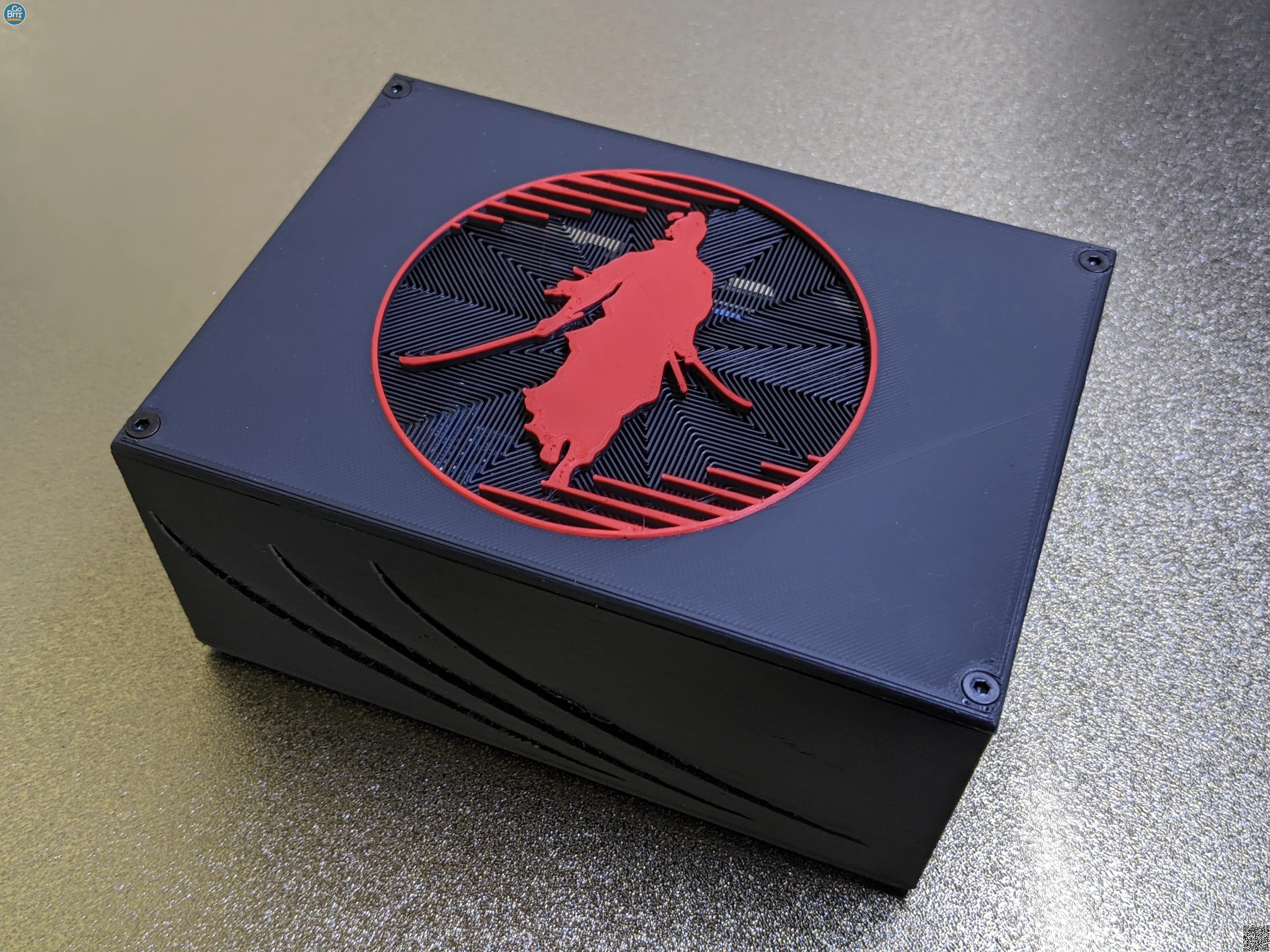
The fine folks at RoninDojo released their latest node, the Bokuto is based on a RockPro64. This exciting piece of hardware is sporting a fast multicore CPU, 4GB LDDR4, and a custom PCI interface enabling onboard NVME storage. This compelling Kit runs Ronin OS and gives you full access to your own Dojo Server. It’s only missing one thing, a 3D-printed case that does the inside justice. This is the Bokuto “Osaka” Case by Go Brrr.
Ronin OS guarantees a smooth operation, maximized uptime and quick and regular updates. You will receive a preassembled and preconfigured Bokuto, and can be up and running in no time, or enjoy the thrill of building your node yourself, with our DIY-Kit! Just connect it via an Ethernet cable and power it on, then you can access the RoninDojo WebUI to manage your node, or connect via SSH and use the inbuilt command line tools.
If you’re building your Bokuto yourself, you can download Ronin OS here.
Ronin Dojo Setup Guide
Ronin Dojo BTC Sessions
Projects





















Noderunners is a project of 21 Toxic Bitcoin Maximalists and is always under development.
When you don't agree with any of the content or with our policy please give us a call on 1-800-CRY-HARDER.
None of the content on this website is Financial Advice.
Always Do Your Own Research (DYOR) before converting your worthless Fiat Money into the Hardest Money ever known to mankind.